

How Do You Properly Load a Dental Steam Autoclave for Sterilization
2025-12-04
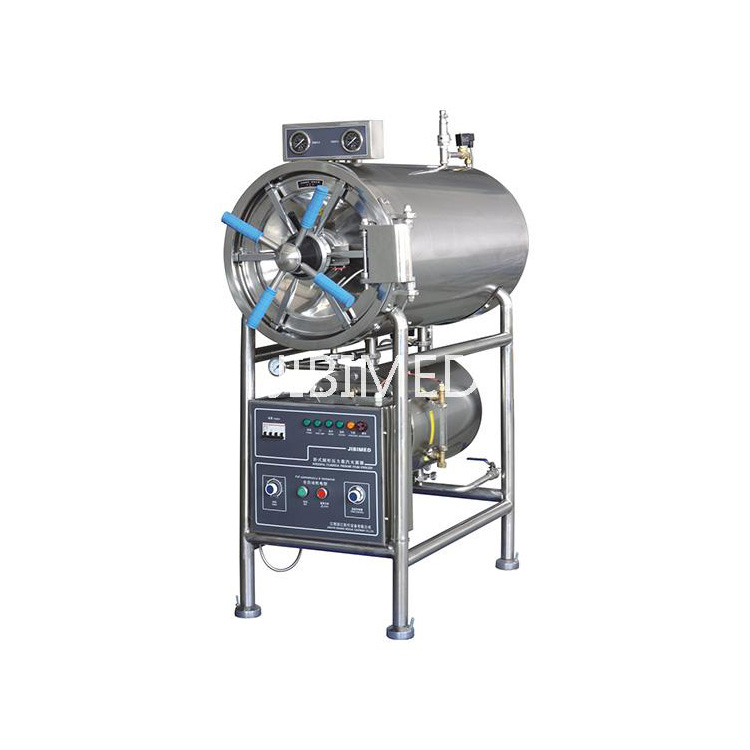
Achieving flawless sterilization in your dental practice hinges on one critical step: properly loading your Steam Autoclave. An incorrectly loaded chamber can lead to cold spots, failed cycles, and compromised patient safety. This guide, powered by the advanced engineering of JIBIMED autoclaves, will walk you through the best practices to ensure optimal performance and compliance every time.
Mastering the Load: A Step-by-Step Guide
Following a systematic loading procedure is non-negotiable for effective steam penetration. Adhere to these core principles:
-
Allow for Steam Circulation: Items must not touch the chamber walls or each other. Use appropriate racks and trays to separate instruments.
-
Position Instruments Correctly: Place items on their edges or in a tilted position. Hollow items, like handpiece tubes, should be placed vertically to allow air evacuation and steam ingress.
-
Use Certified Packaging: Only use autoclave-safe bags or wraps, leaving ample room for steam to penetrate. Ensure the sterilizer tape indicator is visible.
-
Respect Chamber Capacity: Never overload. Our JIBIMED JBM-23L model, for instance, features a spacious 23-liter chamber designed with intelligent spacing guides to prevent overloading.
-
Follow Manufacturer’s Manual: Always consult your specific JIBIMED Steam Autoclave manual for model-specific loading configurations.
Key Parameters for a Perfect Sterilization Cycle
Understanding and verifying these core parameters of your JIBIMED autoclave guarantees efficacy:
| Parameter | Optimal Range | Why It Matters |
|---|---|---|
| Temperature | 121°C (250°F) to 135°C (275°F) | The critical threshold for denaturing microbial proteins. |
| Pressure | 15 to 30 PSI | Creates the saturated steam environment necessary for rapid heat transfer. |
| Time | 15 to 30 minutes (at 121°C) | The sustained exposure period required to eliminate all viable microorganisms. |
JIBIMED Autoclaves are engineered to maintain these parameters with precision, featuring digital controllers for set-and-forget reliability and built-in data loggers for compliance tracking.
Steam Autoclave Board: Your Top FAQs Answered
Q: What should I do immediately if the autoclave fails a biological indicator test?
A: Immediately take the sterilizer out of service. Review the load configuration, cycle parameters, and maintenance records. Re-train staff on loading procedures and perform a thorough maintenance check, focusing on the steam generator and temperature sensors, before re-validating with three consecutive empty cycles and biological indicators.
Q: How can I prevent instrument corrosion inside the autoclave?
A: Use distilled or deionized water only, as specified in your JIBIMED manual. Ensure instruments are completely dry before sterilization. Employ corrosion inhibitor solutions if recommended for specific instruments, and immediately after the cycle, dry instruments thoroughly in a heated drying chamber if your model includes one.
Q: Why is there water pooling at the bottom of packages after a cycle?
A: This is often caused by superheating or insufficient drying time. Avoid over-dense loading, which traps steam. Ensure you are using the correct, non-porous autoclave bags. Always run the full dry cycle. For JIBIMED units, select the extended drying option for heavy or densely packed loads.
Proper loading is the cornerstone of infection control. By partnering with equipment designed for reliability, like a JIBIMED Steam Autoclave, you invest in predictable, validated results. Our autoclaves, from the compact clinic models to large-capacity units, are built with intuitive features that make correct loading straightforward, safeguarding your practice and your patients.
Ready to optimize your sterilization protocol with a autoclave engineered for perfection? Contact our sterilization specialists at JIBIMED today for a personalized consultation and discover the difference precision engineering makes.