

Article Summary: A handheld marking machine is designed for manufacturers who need permanent identification on parts that are too large, heavy, installed, irregularly shaped, or inconvenient to move to a conventional marking station. Instead of bringing every workpiece to the machine, the operator brings the marking head to the workpiece. This approach can simplify part identification, serial number marking, logo application, QR code marking, equipment labeling, and traceability work. The real value, however, depends on matching the laser source, power, marking field, material, surface condition, required depth, production volume, and operator workflow. This guide explains how handheld marking works, where it is useful, what materials can be processed, how to choose a suitable configuration, and which practical problems should be solved before purchase.
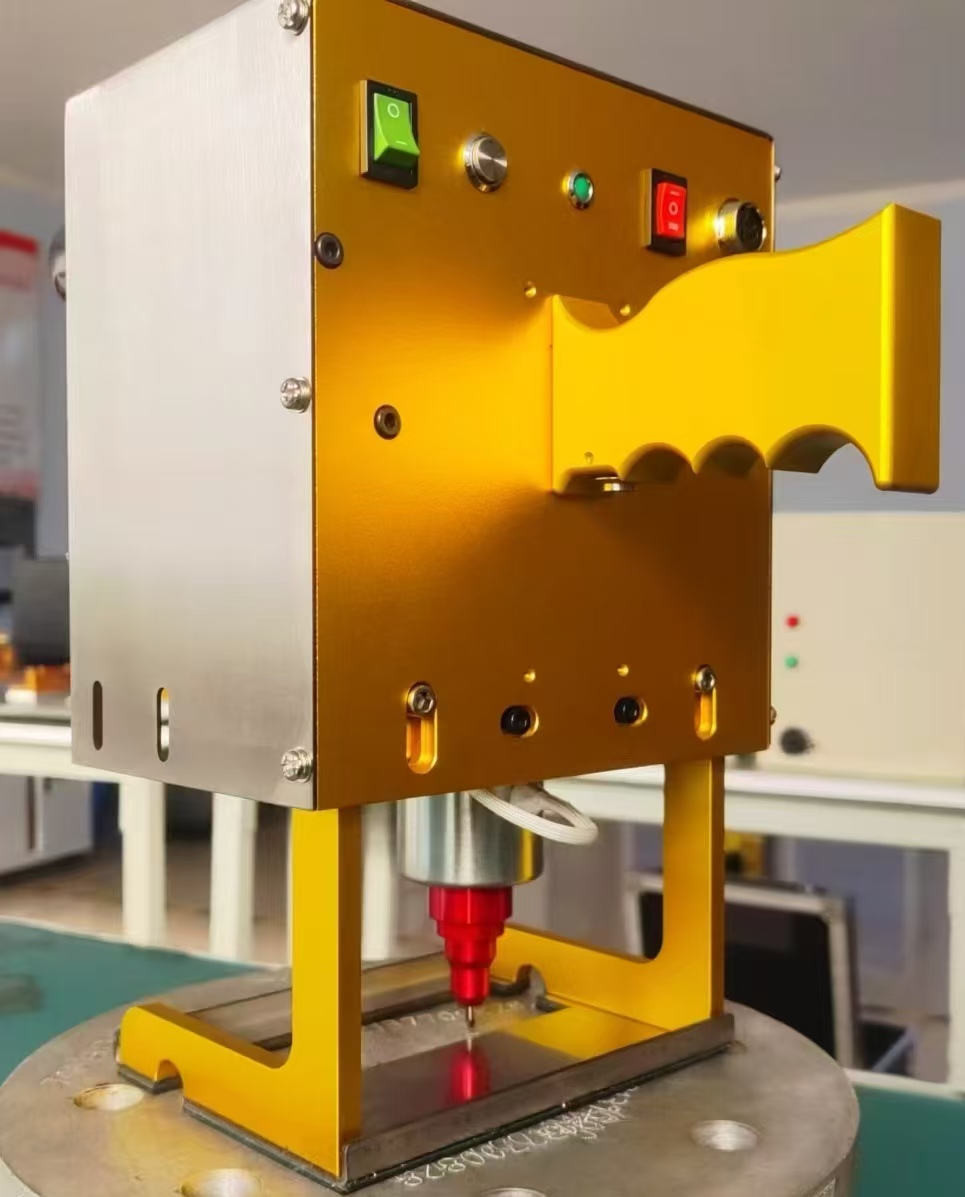
What Is a Handheld Marking Machine?
A Handheld Marking Machine is a portable laser marking system in which the marking head can be manually positioned over the workpiece. Unlike a fixed desktop marker, the system does not require every component to be carried to a small marking platform. This makes the format particularly useful for large metal parts, fabricated assemblies, machinery, frames, pipes, molds, tools, and equipment that are difficult to reposition.
In many industrial applications, the basic requirement is simple: the identification must remain readable throughout the useful life of the product. A manufacturer may need to mark a serial number, model number, production code, company logo, QR code, barcode, specification, or traceability reference directly onto the surface. Laser marking can create permanent identification without labels, printing ink, or mechanical stamping.
The key difference is mobility. A conventional marking workstation is organized around the machine. A handheld system is organized around the workpiece. That distinction becomes valuable when the product is oversized, difficult to fixture, already installed, or too expensive to move repeatedly.
Handheld laser marking heads can be connected to an external laser source and control system. Depending on the configuration, the equipment may support different marking fields, focusing methods, software functions, rotary accessories, positioning devices, or extraction equipment. Current industrial systems commonly use fiber laser technology for many metal-marking applications, while other laser wavelengths may be selected for materials that respond differently to infrared energy.
What Production Problems Does It Solve?
The decision to use a handheld marking machine usually starts with a production problem rather than a desire for a particular machine. Moving a heavy component to a marking station can require lifting equipment, additional operators, temporary storage, fixtures, and extra handling time. For some products, repeated movement also increases the risk of scratching finished surfaces or disturbing an assembly.
A portable marking setup changes this workflow. The component can remain on the production floor while the marking head is brought to it. This is especially practical for fabricated structures, large machinery, steel components, automotive assemblies, industrial equipment, and maintenance work.
| Production challenge | How handheld marking can help |
|---|---|
| Large or heavy components | The marking equipment can be positioned at the component instead of moving the component to a desktop station. |
| Irregular surfaces | A manually positioned marking head can reach selected areas that are difficult to place beneath a fixed marking head. |
| On-site identification | Equipment, fabricated structures, tools, and installed components can be identified closer to their actual location. |
| Frequent product changes | Portable operation can reduce the need for dedicated fixtures when product dimensions vary significantly. |
| Traceability requirements | Serial numbers, batch information, QR codes, and part references can be applied directly to suitable surfaces. |
It is important not to treat portability as a substitute for every type of marking equipment. High-volume automated production may benefit more from an integrated laser marking station, conveyor system, vision system, or dedicated fixture. The handheld format is most useful when accessibility and flexibility are more important than complete automation.
What Materials Can It Mark?
Material compatibility depends on the laser wavelength, source, power, pulse characteristics, surface finish, coating, and the desired appearance of the mark. Fiber laser systems are widely used for metals because their wavelength is well suited to many industrial metal surfaces. Common examples include stainless steel, carbon steel, aluminum, brass, copper, titanium, and various metal alloys.
Selected engineering plastics can also be processed, but plastic performance is much more application-specific. The same laser settings should not be transferred blindly from one plastic formulation to another. Pigments, additives, fillers, surface treatments, and polymer composition can all change the final result.
| Material | Typical marking requirements | Important consideration |
|---|---|---|
| Stainless steel | Text, logos, serial numbers, QR codes and surface marking | Finish and required contrast influence the parameter selection. |
| Carbon steel | Identification, numbering and engraving | Surface scale, oil and oxidation should be considered. |
| Aluminum | Part numbers, logos and equipment identification | Anodized and bare aluminum may require different parameter settings. |
| Brass and copper | Industrial identification and component marking | Reflectivity and thermal behavior can affect the process. |
| Selected plastics | Text, codes and product identification | Material formulation should be tested before production. |
For this reason, a material sample is often more valuable than a theoretical specification sheet. Before purchasing equipment, provide the supplier with the exact material, surface condition, target mark, required size, desired depth, production speed, and photographs of the actual component.
What Can It Be Used to Mark?
The practical application range is broad because the machine is not limited to one type of graphic. A single system may be used for text, serial numbers, logos, dates, batch codes, barcodes, QR codes, Data Matrix codes, patterns, and other vector-based identification.
Industrial Components
Manufacturers can mark housings, brackets, shafts, tools, molds, fixtures, valves, pumps, mechanical components, electrical enclosures, and fabricated assemblies. Permanent identification helps connect a physical component with production or maintenance records.
Automotive Parts
Automotive components often require clear identification for part numbers, production references, logos, and traceability. A handheld format can be useful for large assemblies, tooling, replacement components, or parts that are inconvenient to place on a small worktable.
Machinery and Equipment
Machine frames, nameplates, tools, industrial equipment, and maintenance components may need identification after assembly. Portable marking allows the operator to work around the equipment rather than disassembling or transporting it.
Metal Fabrication
Fabricated structures frequently vary in size and geometry. Handheld marking can support project numbers, component identification, customer references, welding records, or other production information without requiring a dedicated fixture for every part.
Maintenance and Field Identification
When replacement parts or installed equipment need permanent identification, portability becomes particularly useful. The marking system can be taken to the work area, provided that the operating environment meets the equipment's safety and process requirements.
What Does the Marking Process Look Like?
A reliable result depends on more than pressing a start button. A simple production workflow helps reduce errors and keeps the marking quality consistent.
Prepare the workpiece
Clean the target surface and remove excessive oil, dust, loose scale, or contamination. A stable workpiece is also important because movement during marking can affect edge definition.
Confirm the marking content
Check the serial number, logo, text, QR code, barcode, or other data before marking. For traceability applications, content verification should be treated as part of the production process rather than an afterthought.
Position and focus the marking head
Correct focal distance and alignment have a direct effect on line definition and consistency. Follow the equipment manufacturer's specified focusing procedure rather than estimating the distance manually.
Run a sample mark
For a new material or surface finish, start with a test area or sample component. Check contrast, depth, edge quality, heat influence, readability, and overall appearance.
Inspect the finished identification
Visual inspection may be sufficient for simple text, while machine-readable codes should also be checked using the intended scanner or verification process. The best parameter is the one that produces a repeatable result on the actual production material.
What Should Be Considered Before Purchase?
Choosing a handheld marking machine based only on advertised laser power can lead to the wrong configuration. The machine should be matched to the complete application.
- Material: Identify the exact grade or material family rather than simply saying “metal.”
- Mark type: Decide whether the requirement is surface marking, high-contrast marking, engraving, or deeper material removal.
- Marking area: Determine the largest area that must be completed without repositioning the head.
- Character size: Very small text and detailed codes place different demands on the optical system.
- Production volume: A small workshop and a continuous production line may require completely different configurations.
- Part geometry: Consider flat, curved, vertical, overhead, recessed, or difficult-to-access surfaces.
- Portability: Evaluate the weight, cable arrangement, controller position, and operator ergonomics.
- Software: Check support for the file formats, serial numbering, variable data, QR codes, barcodes, and other functions actually required.
- Extraction: Determine whether the material and process require suitable fume or particle extraction.
- After-sales support: Installation guidance, training, spare parts, troubleshooting, and parameter support can matter as much as the hardware.
A useful purchasing rule: Do not ask only, “How many watts is the machine?” Ask, “What exact mark do I need, on what material, at what depth, over what area, and at what production rate?” Those answers provide a much more useful basis for equipment selection.
How Does Laser Power Affect the Result?
Laser power influences the amount of energy available to the process, but higher power does not automatically mean better marking. The final result also depends on scanning speed, pulse characteristics, frequency, focus, lens selection, material absorption, and the number of passes.
Lower-power configurations can be suitable for surface identification and relatively light marking requirements. Higher-power systems may provide greater flexibility when deeper engraving or higher production efficiency is required. However, the correct configuration should be established through application testing rather than choosing the highest available specification.
For example, a manufacturer producing small stainless-steel components may prioritize fine detail and fast cycle time, while a fabrication workshop identifying large carbon-steel structures may place more emphasis on accessibility and engraving depth. Both users may need a handheld marking machine, but their optimal configurations can be very different.
What Determines Marking Quality?
Good marking is the result of several variables working together. A high-quality laser source cannot compensate for poor focusing, unstable positioning, unsuitable material settings, or incorrect artwork.
| Factor | Effect on the finished mark |
|---|---|
| Laser source | Influences wavelength, pulse behavior, energy delivery and material interaction. |
| Optical lens | Determines the marking field and contributes to spot size and detail capability. |
| Focus | Incorrect focus can make lines wider, weaker or less uniform. |
| Surface condition | Oil, rust, oxidation, coatings and roughness can change the appearance of the mark. |
| Marking parameters | Speed, power, frequency and passes influence contrast, depth and heat input. |
| Operator technique | Stable positioning and consistent working distance are important for repeatability. |
For demanding industrial applications, the best practice is to create a validated marking recipe for each major material and surface condition. This makes production less dependent on individual operator experience.
What Safety Measures Are Important?
Portability should never be confused with low laser risk. Handheld industrial laser systems can involve high-power laser radiation, and appropriate controls must be established before operation. ISO 11553-2 specifically addresses safety requirements for hand-held or hand-operated laser processing machines, including laser hazard areas and hand-held laser heads.
Local regulations also matter. For example, Singapore regulations contain specific requirements for Class 4 laser warning labels, while the National Environment Agency notes that laser material-processing applications can involve additional hazards depending on the material being processed.
- Operate the machine only in accordance with its manufacturer's safety instructions.
- Establish the appropriate controlled laser area before operation.
- Use the required protective equipment and laser-rated eye protection specified for the system.
- Prevent unauthorized personnel from entering the operating area.
- Control reflective surfaces that could redirect laser radiation.
- Use appropriate extraction or ventilation when the marking process produces fumes or particles.
- Check the material's safety information before processing coated, painted, plastic, or chemically treated surfaces.
- Ensure operators receive practical training before using the equipment.
Material safety is also important. Some plastics, coatings, and composite materials can release hazardous substances when exposed to heat or laser energy. The exact material composition should therefore be confirmed before production marking.
What Maintenance Does the Machine Need?
One advantage of laser marking compared with ink-based identification is that there are generally no printing cartridges or ink rollers to replace. Even so, a handheld marking machine is still precision equipment and should be maintained according to the manufacturer's instructions.
Keep the optical path and protective components clean, inspect cables and connectors regularly, and prevent dust or debris from accumulating around cooling and ventilation areas. The marking head should also be stored and transported in a way that protects the optics from impact and contamination.
Software and parameter files deserve attention as well. A production environment can become difficult to manage when operators create individual versions of marking files without control. Maintaining approved templates and standardized parameter recipes helps reduce accidental changes and improves repeatability.
For businesses using the machine every day, preventive maintenance is generally preferable to waiting for a quality problem to appear. A simple inspection schedule can include optical cleanliness, cable condition, cooling performance, focusing accuracy, software operation, emergency functions, and the condition of extraction equipment.
Frequently Asked Questions About Handheld Marking Machines
Yes. Fiber laser systems are commonly used for stainless-steel marking. They can produce text, logos, serial numbers, QR codes and other identification depending on the required appearance and application parameters.
Large and heavy components are one of the main reasons manufacturers consider a handheld system. Instead of moving the entire component to a fixed workstation, the operator can position the marking head at the required location, provided the working environment and safety arrangement are suitable.
It can mark certain curved surfaces, but the result depends on curvature, focal range, marking field, surface accessibility and the optical configuration. A sample test should be performed when the surface is strongly curved or irregular.
Yes, suitable systems can create machine-readable codes. However, code readability depends on module size, contrast, distortion, surface condition and marking parameters. The finished code should be verified with the scanner or verification method used in production.
No. Laser power is only one part of the process. Material, focal conditions, pulse characteristics, scanning speed, marking depth and production requirements all influence the final result. A properly matched configuration is more useful than simply selecting the highest power.
Some systems can process both metals and selected plastics, but compatibility should be confirmed for the exact material. Different plastics can react very differently to laser energy, so sample testing is recommended before placing a production order.
Industrial handheld laser equipment requires proper safety controls and trained operators. Depending on the system, laser radiation can present serious eye and skin hazards. The machine should be operated according to the manufacturer's safety instructions and all applicable local requirements.
Provide the material and grade, part dimensions, marking area, photographs, desired marking content, required depth or contrast, expected daily production, preferred code type, and whether the parts can be moved to a workstation. A sample or drawing is especially helpful when requesting a customized configuration.
Making Handheld Marking Part of a Practical Production Workflow
A handheld marking machine should not be viewed simply as a smaller version of a desktop laser marker. Its main advantage is the ability to work around the physical realities of industrial production. When a component cannot easily be moved, when products vary in size, or when identification must happen close to the point of manufacture or maintenance, portability can make the marking process considerably easier to organize.
For buyers, the most important step is to define the application before selecting the machine. The material, marking content, required depth, marking area, production volume, surface geometry, operating environment and safety requirements should all be considered together. A supplier that can evaluate actual samples and recommend parameters based on the intended application can provide much more useful support than a specification sheet alone.
Jinan Luyue CNC Equipment Co., Ltd. can be considered as a supplier option for customers looking for laser marking equipment for industrial identification and customized marking applications. When discussing a project, providing actual workpiece information, marking requirements and production conditions helps create a more practical equipment proposal.
Need a Handheld Marking Machine for Your Application?
If you are dealing with large metal parts, irregular workpieces, equipment identification, serial number marking, QR codes, logos, or other permanent marking requirements, the right configuration starts with understanding your actual production conditions.
Send your material details, workpiece photos, marking content, required marking size and production requirements to Jinan Luyue CNC Equipment Co., Ltd. for application discussion and equipment recommendations.
Contact us to discuss your marking project and find a suitable handheld marking machine configuration for your production needs.