

Which Automatic Vertical Laminating Machine Meets Your Production Needs?
2026-11-12
An Automatic Vertical Laminating Machine plays an important role in modern printing and packaging production. By combining automatic paper feeding, film application, heating and pressing, and finished-sheet delivery, this equipment helps printing businesses improve production efficiency and achieve consistent surface quality. However, selecting the right machine involves more than comparing maximum speed. Paper specifications, film compatibility, laminating pressure, temperature control, feeding accuracy, and maintenance requirements all influence the final result. This guide explains how vertical laminating equipment works, which features matter most, how to prevent common lamination defects, and what buyers should evaluate before investing in a machine.
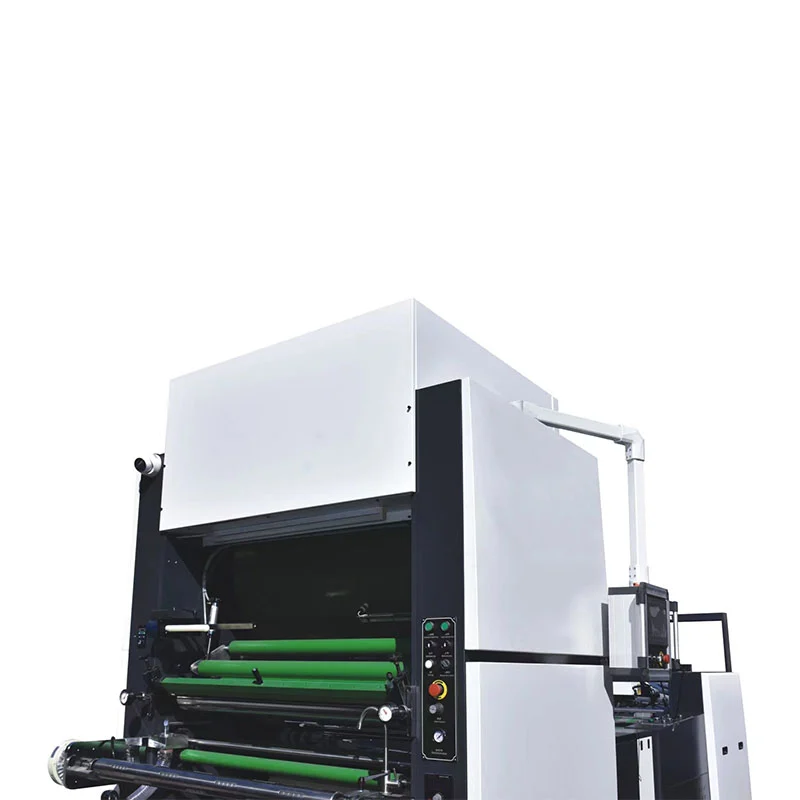
1. Understanding Automatic Vertical Laminating Machines
An Automatic Vertical Laminating Machine is specialized post-press equipment designed to apply a protective or decorative film to printed paper and other suitable sheet materials. Unlike manual or basic semi-automatic equipment, an automatic system integrates multiple production processes to reduce repeated manual handling and maintain a more consistent workflow.
The vertical configuration is designed around an integrated sheet-feeding and laminating production line. Depending on the machine model and configuration, it may include automatic feeding, paper positioning, dust removal, film application, heating, pressure control, sheet separation, and automatic collection.
For printing and packaging manufacturers, lamination is not simply an additional finishing step. It can improve the appearance, durability, and perceived value of printed products. A properly laminated carton, book cover, brochure, or promotional poster is generally better protected against everyday handling, surface contamination, and minor abrasion.
Modern equipment also helps manufacturers manage demanding orders involving different sheet sizes, paper weights, and production quantities. The key is matching the machine configuration to the actual requirements of the printing business.
2. Why Vertical Lamination Matters in Printing
Printed materials frequently face problems after leaving the printing press. Ink surfaces may become scratched during transportation, paper products can absorb moisture, and packaging surfaces may lose their visual appeal after repeated handling. These issues can increase rejection rates and affect customer satisfaction.
Lamination addresses several of these challenges by bonding a thin film to the printed surface. The film creates an additional protective layer and can provide a more attractive finish.
Common production challenges
- Surface damage: Printed sheets may develop scratches, scuffs, or marks during handling.
- Inconsistent finishing: Manual processing can create variations in pressure, alignment, and appearance.
- High labor requirements: Repeated feeding and collecting operations consume valuable production time.
- Material waste: Incorrect temperature, pressure, or film tension can cause defects and rejected products.
- Increasing order demands: Packaging companies often need to process larger quantities without sacrificing quality.
By integrating feeding, laminating, and delivery operations, automatic vertical equipment helps manufacturers establish a more controlled finishing process. This is particularly valuable for companies handling regular commercial printing and packaging orders.
3. How Does an Automatic Vertical Laminating Machine Work?
The working principle involves feeding printed sheets through a controlled laminating process, where a suitable film is bonded to the paper surface using heat and pressure or another compatible bonding method. The precise process depends on the machine design and the type of laminating film being used.
1Automatic paper feeding
The feeding unit separates individual sheets from a prepared paper stack and transfers them into the production line. Proper sheet separation and positioning are essential for maintaining accurate overlap and preventing double feeding or paper jams.
2Paper positioning and dust removal
Before lamination, the sheets need to be correctly aligned. Some configurations include dust-removal equipment to reduce paper powder and surface particles. This step helps minimize visible contamination trapped between the printed material and the film.
3Film feeding and preparation
The laminating film is supplied through a dedicated film-feeding mechanism. Operators need to set the film tension and verify its alignment according to the material specifications. Uneven film feeding may result in wrinkles, edge misalignment, or unstable bonding.
4Heating and pressure lamination
The printed sheet and film pass through the laminating section. For thermal pre-coated film, controlled heat activates the adhesive layer, while pressure rollers help create close contact between the two materials. Temperature, roller pressure, and production speed must be coordinated.
5Sheet separation and cutting
After lamination, the continuous film connection or sheet edges are separated according to the equipment configuration. Cutting systems may use different mechanisms, including chain knives or hot knives. The selected method should suit the material and finished-product requirements.
6Automatic collection
The finished laminated sheets are transferred to the delivery section and stacked for subsequent processing. Stable collection helps reduce manual handling and keeps the production workflow organized.
4. Key Components and Their Functions
Understanding the main machine components helps buyers compare equipment more effectively and identify which functions are important for their production environment.
| Component | Main Function | Production Value |
|---|---|---|
| Automatic feeder | Separates and supplies paper sheets. | Reduces manual feeding and improves workflow continuity. |
| Dust remover | Removes loose paper dust and particles. | Helps improve surface cleanliness. |
| Film feeding system | Controls film supply and alignment. | Supports stable film application. |
| Heating system | Provides heat for thermal adhesive activation. | Helps achieve consistent bonding. |
| Pressure rollers | Apply controlled pressure during lamination. | Promote uniform film-to-paper contact. |
| Cutting system | Separates laminated sheets. | Supports accurate finished-sheet separation. |
| Delivery unit | Collects and stacks finished sheets. | Reduces manual handling after lamination. |
| PLC control system | Coordinates machine operations and settings. | Improves operating convenience and process control. |
5. Main Industrial Applications
Automatic vertical laminating equipment is widely used by commercial printers, packaging manufacturers, and businesses producing high-quality printed materials. Its versatility makes it suitable for a variety of finishing requirements.
Packaging boxes and cartons
Packaging manufacturers use laminated printed sheets for folding cartons, gift boxes, wine packaging, cosmetic boxes, and other paper-based packaging products. Film lamination can enhance surface appearance and provide additional protection during handling.
Books and publications
Book covers, magazines, catalogs, brochures, and promotional publications can benefit from a laminated finish. Glossy or matte film can help create different visual effects while protecting frequently handled surfaces.
Shopping bags and gift packaging
Printed paper bags and gift packaging often require a more durable and attractive exterior. Suitable laminating films can improve the overall presentation and help the finished products withstand routine handling.
Commercial advertising materials
Posters, display graphics, promotional boards, menus, and marketing materials may require surface protection to maintain their appearance during display and distribution.
Typical application overview
| Industry | Typical Products | Common Finishing Goals |
|---|---|---|
| Packaging | Cartons, gift boxes, wine boxes | Appearance and surface protection |
| Publishing | Books, magazines, catalogs | Durability and visual quality |
| Commercial printing | Posters, brochures, menus | Professional presentation |
| Retail packaging | Shopping bags, promotional packaging | Surface consistency and handling resistance |
6. Important Production Benefits
Higher production efficiency
Automatic feeding, laminating, separating, and collection reduce the need for repeated manual operations. This helps production teams process larger batches with a more organized workflow.
More consistent finishing results
Controlled temperature, pressure, and feeding conditions help reduce variations between sheets. A properly adjusted machine can produce more consistent surface finishes across a production batch.
Reduced manual workload
Operators can supervise the production process rather than manually completing every feeding and collection operation. This can improve labor allocation and reduce repetitive work.
Greater production flexibility
Depending on the model, automatic vertical laminators can handle different paper sizes, paper weights, and film finishes. This allows printing businesses to serve a wider range of customer requirements.
Improved product presentation
Lamination can create glossy, matte, or other specialized surface effects. It helps packaging and printed materials achieve a more refined appearance that supports product presentation.
7. Film and Paper Compatibility
Material compatibility is one of the most important considerations when purchasing an Automatic Vertical Laminating Machine. Even a high-performance machine cannot deliver satisfactory results if the film, paper, and adhesive system are unsuitable for one another.
Common laminating film options
- BOPP glossy film: Provides a bright, reflective finish and is commonly used for packaging and promotional printed materials.
- BOPP matte film: Creates a softer, non-glossy appearance for books, premium packaging, and corporate publications.
- PET film: Used in applications requiring particular film performance characteristics, subject to machine and adhesive compatibility.
- Metallic film: Creates decorative visual effects for selected packaging and promotional applications.
- Anti-scratch film: Designed to improve resistance to surface scratching in suitable applications.
- Soft-touch film: Offers a distinctive tactile finish for premium packaging and printed products.
Paper characteristics to consider
Paper thickness, stiffness, surface smoothness, ink coverage, and moisture content can all influence lamination performance. Heavier board may require different feeding and pressure settings compared with lightweight publication paper.
Before production, manufacturers should confirm the permitted paper weight and dimensions for the selected machine. They should also test the actual printed substrate and film combination rather than relying exclusively on general material descriptions.
8. How to Achieve Consistent Lamination Quality
Good lamination quality depends on several connected factors. A problem in one area can affect the final appearance even when the other machine settings are correct.
Control operating temperature
Temperature should match the adhesive characteristics of the selected film. Insufficient heat may cause weak bonding, while excessive heat can contribute to film deformation, paper curling, or other surface defects.
Maintain suitable roller pressure
Pressure should be distributed evenly across the working width. Uneven pressure may create areas with weak adhesion or visible inconsistencies. Roller condition and alignment should therefore be checked regularly.
Adjust film tension
Excessive film tension can contribute to stretching and wrinkles, while insufficient tension may lead to unstable film feeding. Operators should follow the machine instructions and adjust tension according to the material.
Keep printed surfaces clean
Dust and loose particles can become trapped under the film, creating visible spots or small bumps. Proper paper preparation and dust removal are important for high-quality finishing.
Verify paper alignment
Incorrect sheet positioning can result in uneven overlap or inconsistent edge coverage. The feeding system should be calibrated and inspected before large production runs.
Allow appropriate ink drying time
Freshly printed sheets may contain residual moisture, solvents, or other substances that affect film adhesion. Confirm that the ink system and drying process are suitable for the intended laminating method.
9. Which Features Should Buyers Evaluate?
Choosing the right Automatic Vertical Laminating Machine requires a practical assessment of current production requirements and future business plans. Buyers should focus on the functions that directly influence output quality, operating cost, and workflow compatibility.
1. Maximum and minimum paper size
Check the largest and smallest sheet dimensions required by your customers. The machine's working range should cover regular orders without requiring unnecessary manual adjustments or additional equipment.
2. Supported paper weight
Paper weight affects feeding stability, transport performance, and pressure requirements. Confirm the machine's supported range and request testing with representative paper samples.
3. Actual laminating speed
Maximum speed is an important reference, but buyers should also consider the speed achievable with their normal paper sizes and materials. Ask suppliers to explain the conditions used for rated speed measurements.
4. Automation level
Evaluate automatic feeding, paper positioning, sheet separation, waste handling, and finished-product collection. These functions can influence how many operators are needed and how smoothly the machine integrates into the production line.
5. Heating and pressure control
Stable heating and adjustable pressure are essential for reliable thermal lamination. Buyers should understand the control system, heating response, and available operating adjustments.
6. Cutting and separation options
Different products may require different sheet separation methods. Confirm whether the machine supports the required cutting configuration and whether additional functions are available.
7. Maintenance and technical support
Check the availability of spare parts, technical documentation, operator training, troubleshooting assistance, and after-sales service. These factors can be especially important for overseas buyers.
Buyer evaluation checklist
- Does the machine cover the required paper dimensions?
- Is the supported paper weight suitable for current orders?
- Can it process the selected laminating films?
- Does the automation level match the planned production volume?
- Are feeding and sheet separation sufficiently accurate?
- Are operating controls easy for production staff to understand?
- Are installation guidance and spare parts available?
- Can the supplier arrange a material compatibility test?
10. Understanding Technical Specifications
Technical specifications provide a starting point for comparing different machine models. The following table presents an example of the published specifications for the Feihua FHS-850 and FHS-1050 automatic vertical laminating machine models.
| Technical Item | FHS-850 | FHS-1050 |
|---|---|---|
| Maximum paper size | 780 × 1050 mm | 1050 × 1050 mm |
| Minimum paper size | 270 × 240 mm | 300 × 300 mm |
| Paper weight | 80–500 g/m² | 80–500 g/m² |
| Overlap error | ±2 mm | ±2 mm |
| Laminating speed | 0–110 m/min (one side) | 0–110 m/min (one side) |
| Total power | 60 kW | 65 kW |
| Electricity consumption reference | 25 kW/h | 28 kW/h |
| Paper feeding height | 1150 mm | 1150 mm |
| Paper stack height | 1050 mm | 1050 mm |
| Machine dimensions | 8600 × 1800 × 2000 mm | 8600 × 2000 × 2000 mm |
Note: Specifications are reference values published for these models. Confirm the latest configuration, electrical requirements, actual operating consumption, and optional functions with the manufacturer before ordering.
When comparing specifications, buyers should pay particular attention to working dimensions, paper weight, overlap accuracy, rated speed, and installation space. A larger model is not automatically the better investment. The right choice is the machine that matches the actual production mix and provides sufficient capacity for future orders.
11. Operation and Maintenance Tips
Regular maintenance helps keep an automatic laminating machine operating reliably and reduces the risk of unexpected production interruptions. A structured inspection routine is especially valuable for businesses running long production shifts.
Before starting production
- Check the power supply, air supply, and safety devices.
- Inspect the paper-feeding area for dust, scraps, or foreign objects.
- Confirm that film rolls are installed correctly.
- Check roller surfaces and the condition of relevant mechanical components.
- Verify the temperature, pressure, and speed settings for the selected material.
- Run a small test batch before beginning full production.
During production
- Monitor sheet alignment and film tension.
- Observe the laminated surface for bubbles, wrinkles, and weak adhesion.
- Check the finished-sheet stacking condition.
- Respond promptly to abnormal noise, vibration, or machine alarms.
After production
- Remove paper dust and production waste from accessible areas.
- Clean rollers using manufacturer-approved methods.
- Inspect cutting components and other wear parts.
- Record any abnormal operating conditions for follow-up maintenance.
- Shut down the equipment according to the operating instructions.
Maintenance intervals should follow the manufacturer's recommendations. Operators should never clean, adjust, or inspect moving parts while the machine is running unless the procedure is explicitly designed for safe operation under those conditions.
12. Common Problems and Solutions
Understanding common lamination defects helps operators identify possible causes and take corrective action before material waste increases.
| Problem | Possible Causes | Recommended Checks |
|---|---|---|
| Film wrinkles | Incorrect tension, poor alignment, uneven feeding | Check film tension and feeding alignment. |
| Weak adhesion | Insufficient heat, unsuitable pressure, incompatible film | Verify film specifications and adjust process settings. |
| Air bubbles | Contaminated surfaces, uneven pressure, unsuitable conditions | Inspect paper cleanliness and roller contact. |
| Paper curling | Excessive heat, uneven moisture, material imbalance | Review temperature and substrate conditions. |
| Misaligned sheets | Incorrect feeder settings or unstable paper separation | Inspect paper guides and feeding adjustments. |
| Frequent paper jams | Improper paper loading, static, incorrect settings | Check the feeding mechanism and paper condition. |
These are general troubleshooting directions rather than universal fixes. The correct solution depends on the machine structure, film adhesive system, paper characteristics, and operating conditions. Always consult the equipment manual or technical service team when a fault cannot be safely resolved through routine adjustments.
13. The Future of Automatic Lamination in Printing and Packaging
Printing and packaging businesses continue to face pressure to improve product quality, shorten delivery cycles, and control production costs. As a result, automatic post-press equipment is becoming increasingly important in integrated manufacturing environments.
Smarter production control
PLC-based control systems, operator interfaces, and fault detection functions can make machine operation more convenient. Better monitoring also helps production teams identify abnormal conditions earlier.
More flexible finishing solutions
Different customers require different surface effects, packaging formats, and material combinations. Equipment configurations that support suitable optional functions can help manufacturers respond to changing order requirements.
Greater attention to material efficiency
Reducing setup waste, controlling film tension, improving feeding accuracy, and maintaining stable bonding conditions can contribute to more efficient use of production materials.
Integration with modern production lines
Automatic feeding and collection systems help connect laminating operations with upstream printing and downstream die-cutting or other finishing processes. This creates opportunities for more organized production planning.
For printing companies planning equipment upgrades, the most useful investment is not necessarily the machine with the highest advertised speed. It is a reliable solution that fits the production process, materials, workforce, and long-term business strategy.
14. Frequently Asked Questions
Q1. What is an Automatic Vertical Laminating Machine used for?
It is used to apply laminating film to printed paper and suitable sheet materials. Typical applications include cartons, packaging boxes, books, magazines, posters, brochures, and shopping bags. The process improves surface appearance and provides an additional protective layer.
Q2. What is the difference between an automatic and a semi-automatic laminating machine?
An automatic laminating machine integrates more production operations, such as automatic feeding and finished-sheet collection. A semi-automatic machine generally requires more operator involvement in material handling. The appropriate option depends on production volume, labor availability, and budget.
Q3. Which materials can an automatic vertical laminator process?
Depending on the machine model and configuration, it can process different paper weights and compatible thermal laminating films. Common film options include BOPP matte, BOPP glossy, PET, metallic, anti-scratch, and soft-touch films. Compatibility should always be confirmed with the manufacturer.
Q4. How do I choose the right laminating speed?
Consider your average daily production volume, paper dimensions, material characteristics, and required finishing quality. The machine's maximum rated speed should be compared with the actual speed achievable under your normal operating conditions.
Q5. Why does laminated paper sometimes develop bubbles?
Bubbles may result from dust contamination, insufficient bonding, uneven pressure, or unsuitable temperature and film conditions. Check the cleanliness of the printed sheets, roller contact, adhesive compatibility, and machine settings.
Q6. Can the machine handle different paper thicknesses?
Many automatic vertical laminating machines support a range of paper weights. However, the permitted range varies by model. Buyers should verify the minimum and maximum paper weight and test the actual substrates used in production.
Q7. What should I prepare before purchasing a laminating machine?
Prepare information about your maximum and minimum sheet sizes, paper weights, daily output, film types, required surface finishes, available factory space, and electrical supply. Sample materials are also useful for machine configuration and compatibility testing.
Q8. How often should an automatic laminating machine be maintained?
Daily cleaning and routine inspections are recommended, while lubrication, roller inspection, and component replacement should follow the manufacturer's maintenance schedule. Actual intervals depend on machine usage and production conditions.
Q9. Is an automatic vertical laminating machine suitable for packaging manufacturers?
Yes. It can be a suitable solution for manufacturers producing paper cartons, gift boxes, wine packaging, shopping bags, and other laminated printed products, provided that the machine's working range and configuration match the materials and production requirements.
Q10. What information should I request from a machine supplier?
Ask for a detailed technical specification, machine configuration, supported materials, operating requirements, installation dimensions, spare-parts information, warranty conditions, operator training, and after-sales service details. A production test using your own materials can also help verify suitability.
15. Improve Your Printing Workflow with the Right Laminating Solution
Investing in an Automatic Vertical Laminating Machine is an important decision for printing and packaging manufacturers seeking stable finishing quality and more efficient production. From automatic feeding and accurate film application to controlled heating, pressure, and finished-sheet collection, every stage contributes to the final result.
The right equipment should match your paper specifications, film requirements, production capacity, and factory layout. Careful evaluation before purchasing can help reduce material waste, improve workflow efficiency, and support consistent product quality over time.
Looking for a Reliable Automatic Vertical Laminating Machine?
Wenzhou Feihua Printing Machinery Co., Ltd. specializes in post-press equipment and laminating solutions for the printing and packaging industries. With experience in laminating machine development, manufacturing, and service, Feihua provides equipment options designed to meet different production requirements.
Whether you need a machine for printed cartons, books, posters, gift boxes, or commercial packaging, our team can help you explore suitable configurations based on your materials and production goals.
Contact us today to discuss your paper sizes, film types, production capacity, and machine requirements. Let us help you find a practical laminating solution for your business.
Contact Us